Hand & Wrist Reset.
A self-guided movement practice for people who type, use a mouse, game, scroll or grip. Begin with the fleshy forearm and stay within comfortable movement.
The full basic Fist Reset below is free. The complete free Hand & Wrist Reset Guide adds the Claw variation, everyday activity notes, troubleshooting and a printable one-page cheat sheet.
The Fist Reset.
Read the steps before beginning. Use your opposite hand on the forearm of the hand you will move. Work at your own pace and keep the contact comfortable.
FIND → CONTACT → SHAPE → ROTATE → BREATHE → NOTICE
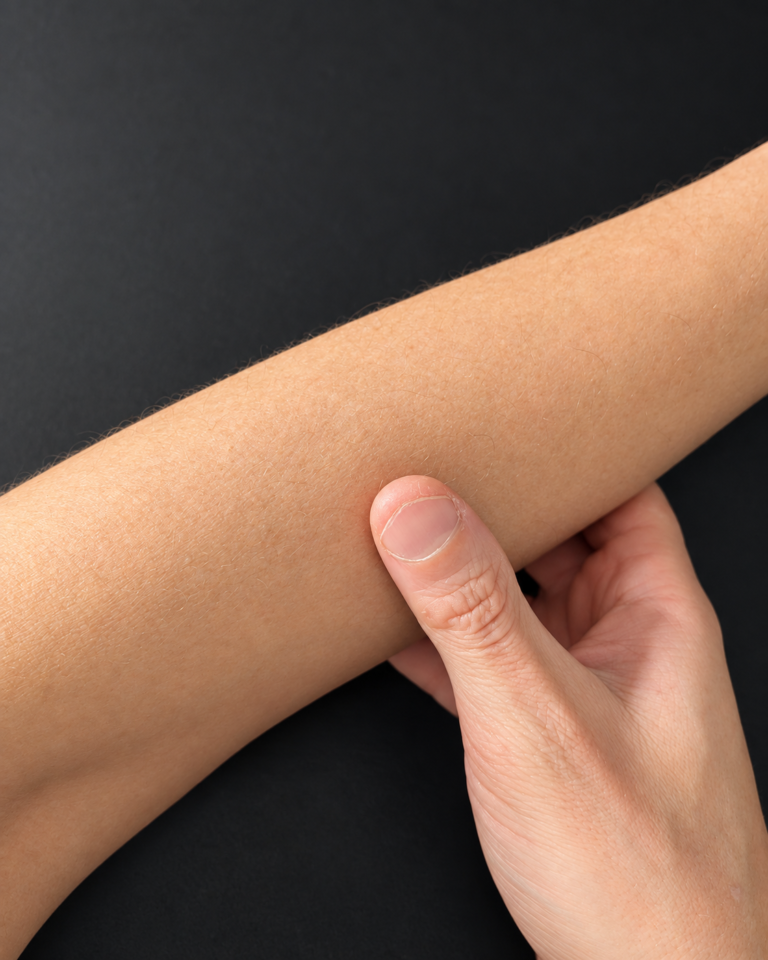
Find the starting contact. 1. Find.
Use the opposite hand to explore the fleshy part of your forearm. Find a softer, tender or noticeably different spot. Keep contact comfortable; do not press harder to search for a result.
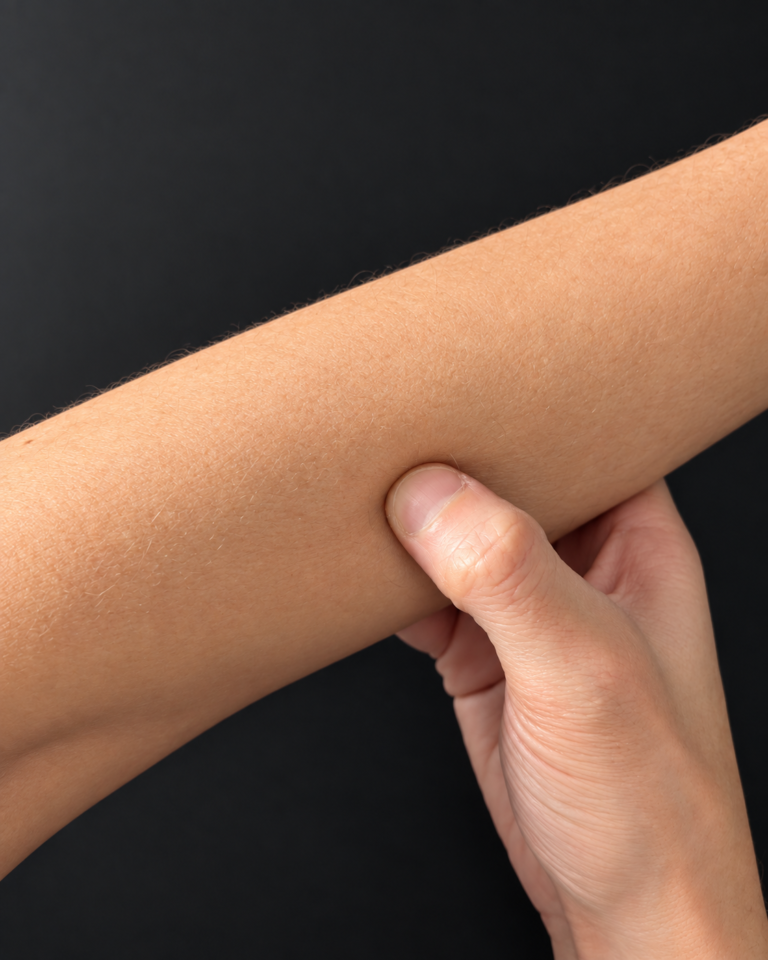
Maintain the forearm contact. 2. Contact.
Apply a comfortable squeeze or pressure and keep holding it. Ease off or stop if anything feels sharp, numb, tingly, distinctly uncomfortable or wrong.
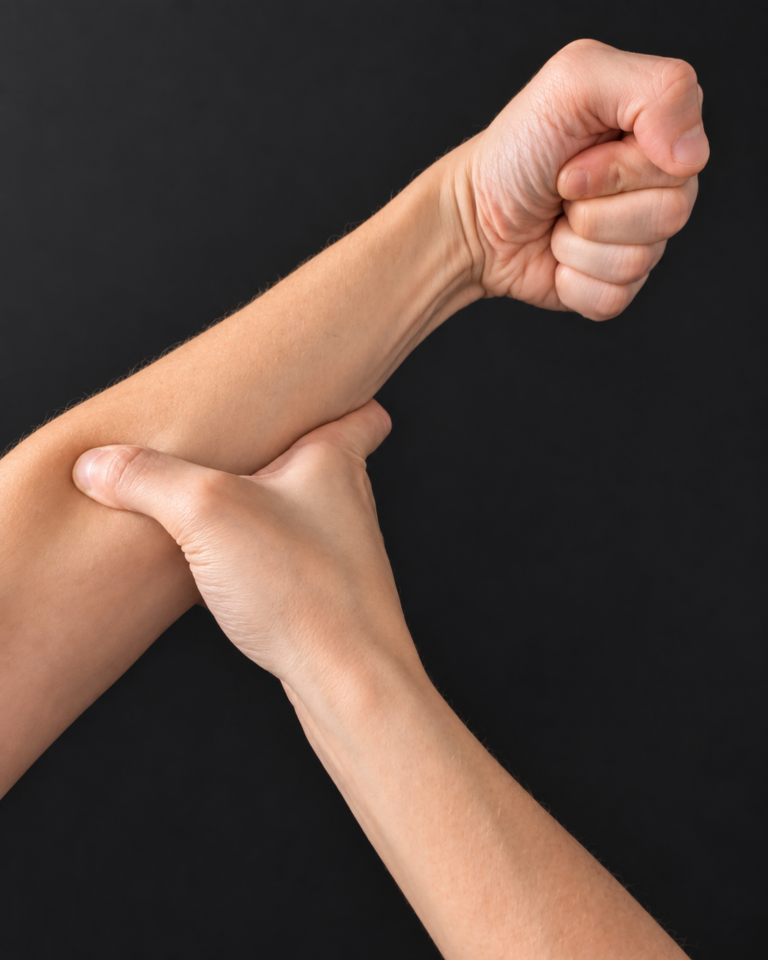
Keep the wrist free to move. 3. Shape.
Make a loose fist with the working hand. Keep the fist easy rather than squeezing it tightly, and leave the wrist free to move.
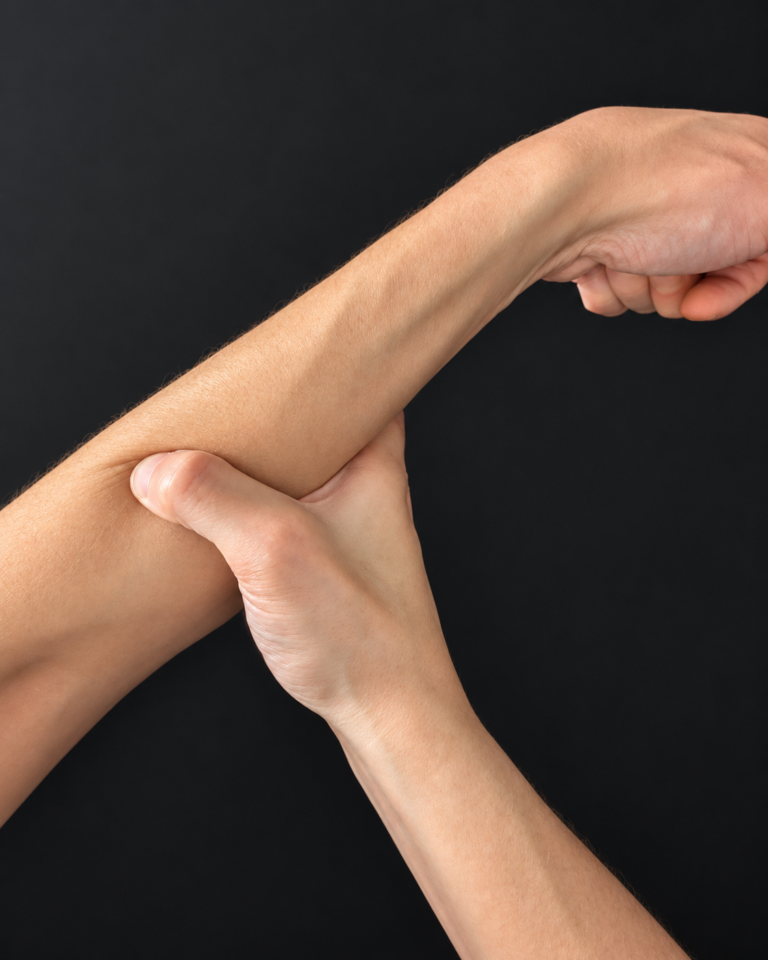
Move slowly within comfort. 4. Rotate.
Slowly rotate the wrist while maintaining the forearm pressure. Do not force the movement or push farther simply because a position feels resistant.
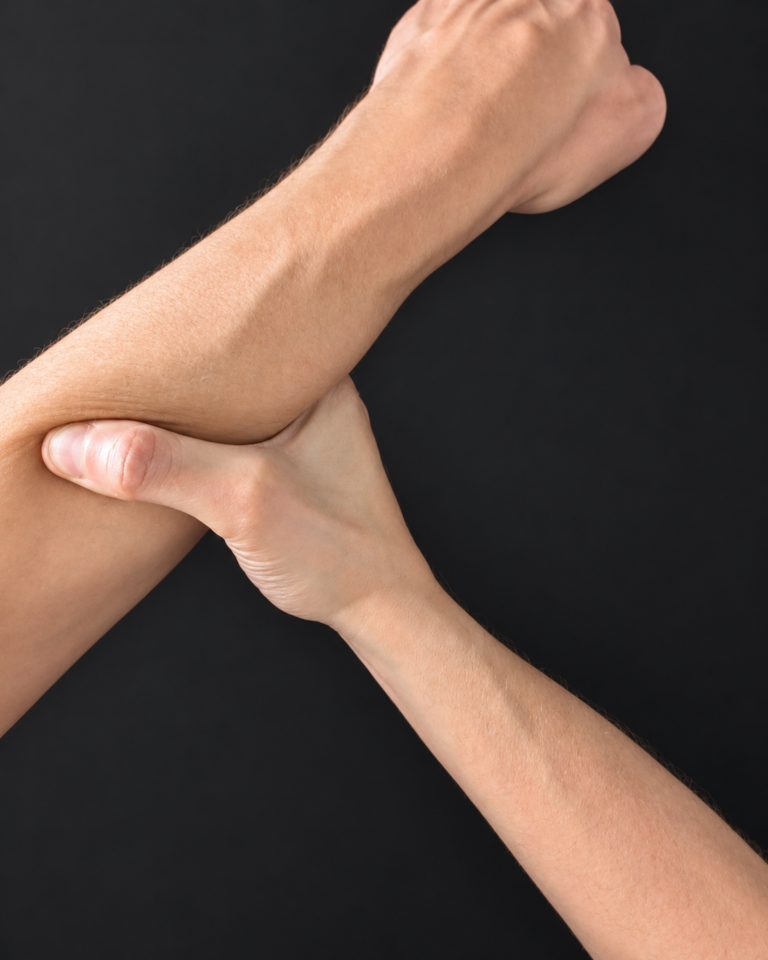
Let unnecessary effort go. 5. Breathe.
Pause at a tender or resistant position only while it remains comfortable. Take a slow deep breath. On the exhale, let effort go and, if it remains comfortable, rotate slightly farther. You can also stay where you are, ease off or stop.
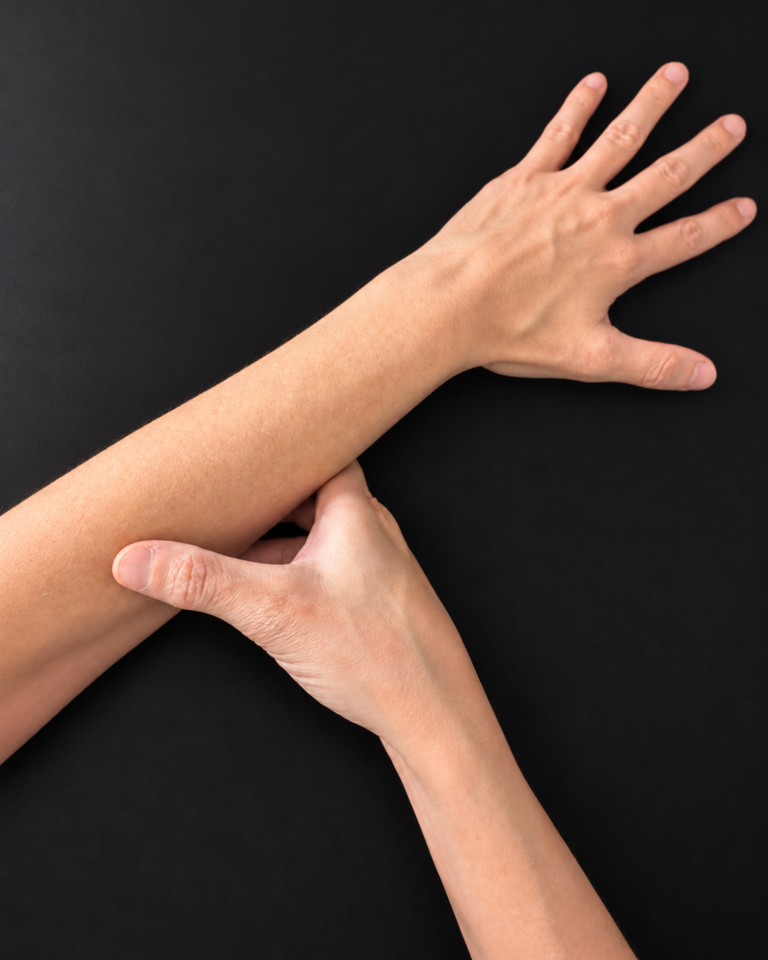
Compare with the starting feeling. 6. Notice.
Release the forearm and fist. Move the wrist normally, and notice whether it feels different or a little more relaxed. A change is not required; do not increase force to chase one.
Compare with the starting feeling. The hand may feel different, a little more relaxed, or much the same. You do not need to explain the feeling or produce a result.
What have your
hands been doing?
Choose the closest activity. Notice the input, the repetition and how you feel. Keep any change practical and comfortable.
Typing
Notice whether your hands stay in one position and whether the feeling includes your forearms. Pause typing, let your hands rest, and try a comfortable change in position. Return to the keyboard and reassess your experience.
Mouse or trackpad
Notice your reach and how firmly you hold or rest on the device. Try a comfortable placement within easy reach or an input option you already know how to use. Change one thing at a time so you can notice the difference.
Gaming
Notice sustained gripping, repeated inputs and how long you stay in the same position. Put the controller or mouse down for a pause. When you return, observe your grip without forcing it to match a prescribed position.
Phone holding and scrolling
Notice which hand supports the phone and which fingers do the work. Set the phone down. If practical, try supporting it or changing how you hold it, then notice how the task feels. Keep attention on your surroundings when changing your input.
Gripping
Notice how much effort you use and whether it continues after you put an object down. Release the object when it is safe to do so and let your hand rest. With tools or tasks that require a secure grip, preserve that requirement; do not loosen your grip while operating them.
Put the feeling
in context.
Why can my wrist feel stiff after using a mouse?
A mouse task can involve repeated input and time in a similar position. That is useful context for what you notice; it does not identify the cause of your stiffness.
Notice your reach, grip and time at the device. Set it down for a pause, or try a comfortable placement within easy reach. Change one thing and reassess when you return.
Why can my forearm feel tight after gripping?
The forearm is part of the activity as well as the hand. After gripping, you may notice effort or a tense feeling there. An observation alone does not tell you why it feels that way.
Put the object down when it is safe, let the hand rest, and notice what changes. Keep any grip needed for safe tool use; do not loosen it while operating a tool.
Why can repetitive hand use leave movement feeling restricted?
Repeated tasks can keep your attention and movement in a familiar pattern. Notice the task, input and position as well as the feeling of restriction. There is no single explanation offered here for every person’s experience.
A pause, comfortable position change or familiar alternative input gives you something practical to compare. The Reset is one part of the day, not a substitute for attention to the rest of it.
Free Hand & Wrist
Reset Guide.
The free guide expands on the Fist Reset with more guidance while keeping the same non-clinical, comfort-first approach.
The complete guide is available as a free PDF you can download or print.
- The Claw variation using the same six-step sequence
- In-depth step-by-step guidance and self-directed pacing
- Breathing cues and reflective “what do you notice?” pauses
- Notes for typing, mouse or trackpad use, gaming, phone use and gripping
- A printable one-page cheat sheet
No purchase or account is required. The guide is free and can be downloaded directly from Core Reset Studio.
Before you return
to your day.
Do I need equipment?
No equipment is needed for the basic Fist Reset. Use your own hands and keep your wrist free to move.
What if I do not notice a change?
No particular result is promised. Notice that there is no clear difference and finish. Lack of change is not a reason to use more pressure or repeat indefinitely.
How often should I do it?
This page does not prescribe a frequency. Treat it as an optional pause, with comfort guiding the practice. You do not need a timer, streak or daily quota.
Can I use this to treat a hand or wrist condition?
No. Core Reset Studio provides non-clinical movement education. It does not diagnose, treat, cure or rehabilitate conditions. Speak with a licensed healthcare provider about a health concern.
Where can I get the complete free guide?
Visit the Free Hand & Wrist Reset Guide page to download the complete PDF, including the Claw variation and printable one-page cheat sheet.
Core Reset Studio was founded by Stephen Ashley. Education only—not massage therapy, physical therapy, chiropractic care, or medical treatment. No diagnoses are made or conditions treated. Not a substitute for medical care. Read the disclaimer.